
Reservations & passengers
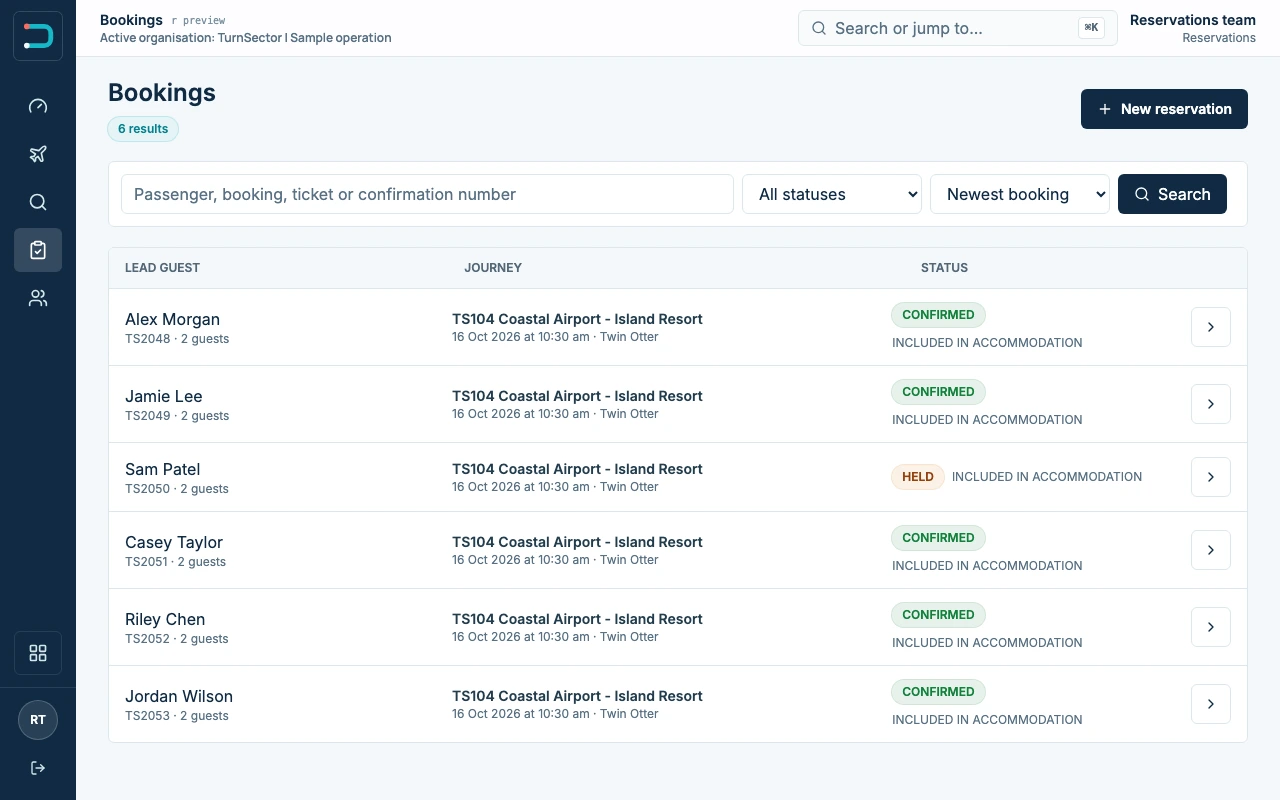
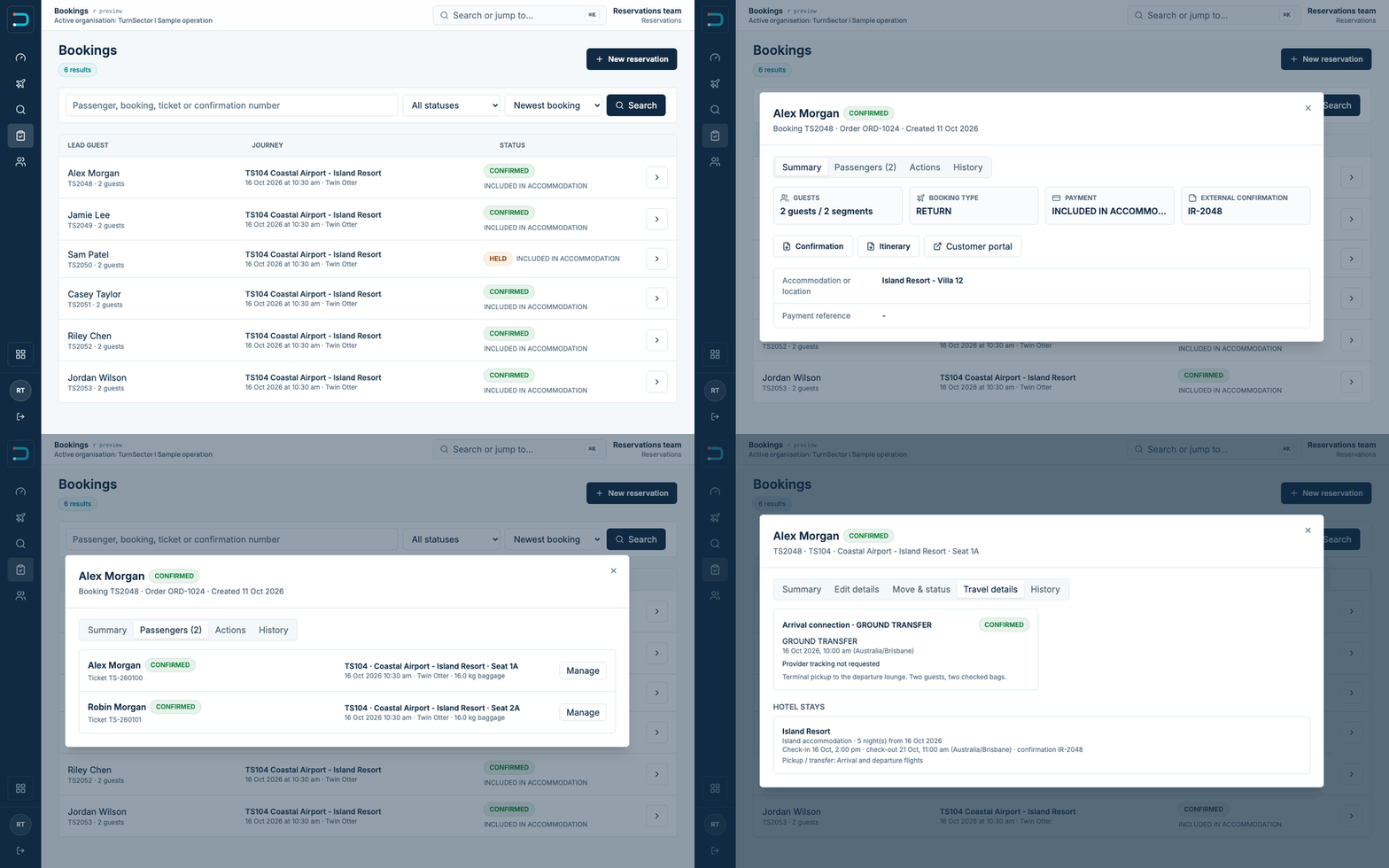
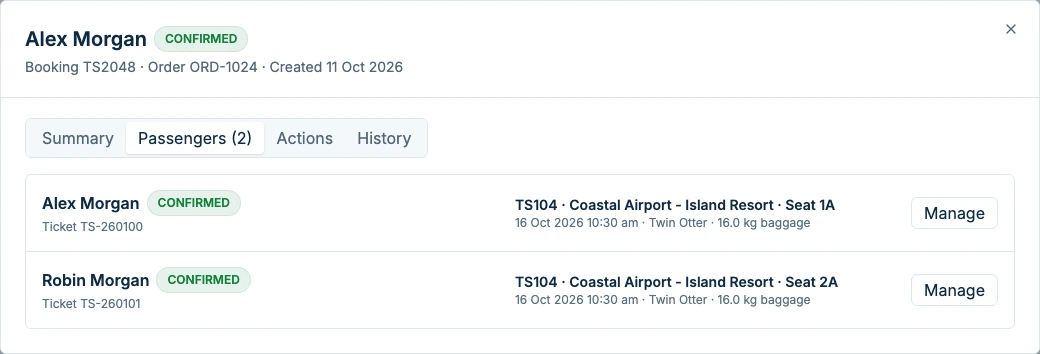
Make individual and group bookings. Record passenger details, reserve seats and change or cancel a booking.
Flight reservations
and property connections.
Manage flight reservations and plan transfers around guest stays, arrivals and connecting flights.
Book a demoReservations
Check seat availability, book individuals or groups, and keep accommodation and connecting travel with the reservation. Update the booking when plans change.
Make individual and group bookings. Record passenger details, reserve seats and change or cancel a booking.
Set up scheduled services and charters, check seat availability and update departure times.
Assign aircraft and pilots to flights. Check availability, maintenance blocks and overlapping assignments.
Record connecting flights, accommodation and ground transfers against the passenger's booking.
Check passenger details and documents, assign seats and mark passengers as checked in.
Enter measured passenger and baggage weights, record bag counts and complete dangerous goods acceptance checks.
See who is checked in or boarded. Scan boarding barcodes and prepare the passenger manifest.
Record delays, cancellations and aircraft changes, along with actual departure and arrival times.
Assign passengers to seats and enter baggage, cargo, crew and fuel for the flight.
Calculate loaded weights and centre of gravity using the data and limits set up for the aircraft.
Review the load sheet and record the assigned pilot's sign-off against that flight.
Keep signed PDFs and earlier versions when the load changes, with a record of which version was signed.
Approved aircraft data and operator acceptance are required before use in flight operations. Weight & balance details
Prepare tickets, boarding documents, manifests and load sheets from the booking and flight records.
Use your own branding on booking confirmations and keep sent messages with the reservation.
View passenger numbers, flight loads and movements. Export reports as PDF or CSV.
Record payments against bookings and compare reservations with hotel or partner records.
Property management systems
Keep accommodation, connecting flights and transfer arrangements with each booking.
Upload XML reports from your property management system to review guest names and stay dates in TurnSector.
Talk to us about your property system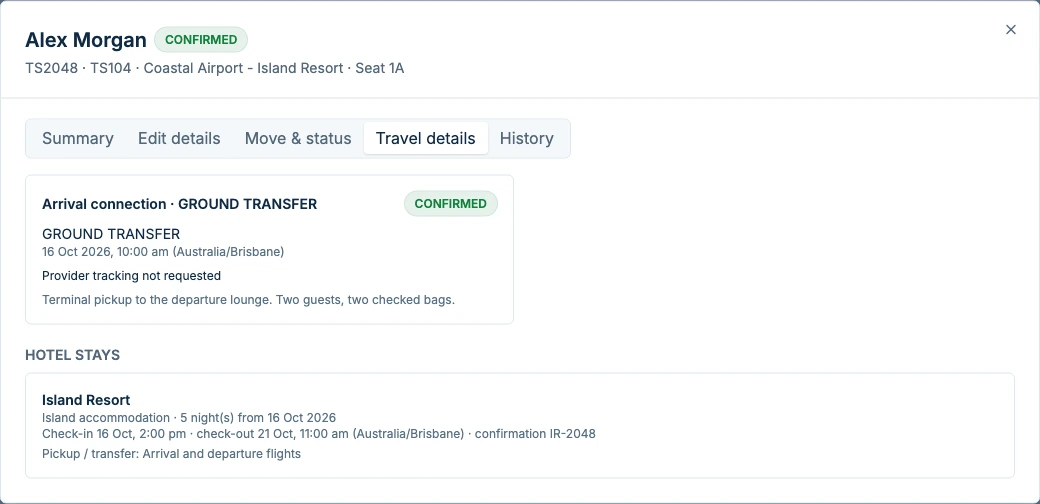
For your team
Reservations, ground staff and pilots work from the same booking and flight information.
Passenger details, seat availability and connecting travel.
Check-in status, seats, baggage weights and boarding.
Aircraft and crew assignments, loading and flight documents.
Flight activity, passenger figures and reports.
Also included
Prepare load sheets using passenger and baggage weights, seat positions, crew, cargo and fuel. Review the balance, record pilot sign-off and retain signed PDFs.
Aircraft-specific approved data, checked configuration and operator acceptance are required before operational use.
See this featureOperators
Set up your routes, aircraft, documents and booking arrangements to suit your operation.
Manage a published timetable, track seat availability and prepare passenger lists and flight documents for each departure.
Plan transfers around guest arrival and departure dates, connecting flights and accommodation bookings.
Book a charter, assign aircraft and crew, and update passenger lists as the booking changes.
Questions
Yes. You can make individual and group bookings, check seat availability and record accommodation, connecting flights and ground transfers with the reservation.
Yes. Upload an XML report and review guest names and stay dates in TurnSector. Send us a sample export so we can confirm it works with your property system.
Yes. It includes load planning, weight and centre-of-gravity calculations, pilot sign-off and signed PDFs. Aircraft data, limits and configuration must be checked and accepted by the operator before use in flight operations.
Mobile boarding and iPad loading and sign-off are available for demonstration. Supported devices and the functions available to your team are confirmed during setup.
We review your routes, aircraft, booking process and documents with you. From there, we agree what needs to be configured, which features you will use and what needs testing before your team starts.
Contact
Tell us how you take bookings and which property system you use. We'll show you how TurnSector handles reservations, guest details and transfers.